

Syngrid

AI Development

AI Development

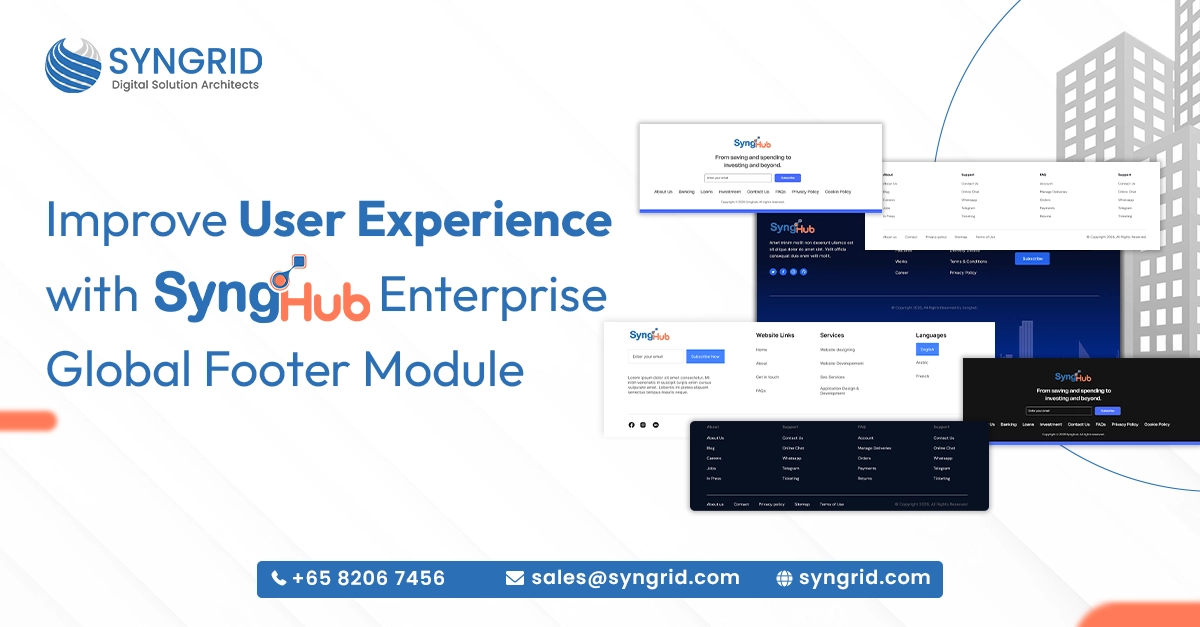
Improve User Experience with SyngHub’s Enterprise Global Footer Module

Your website footer is more than just the bottom of a page. It’s where visitors look for navigation, support links, contact details, and trust signals. A poorly designed footer confuses users and increases bounce rates. A well-structured one guides visitors exactly where they need to go. SyngHub’s Enterprise Global Footer is a powerful and highly flexible HubSpot footer module designed to create fully dynamic, enterprise-ready footer layouts without any additional development. Built by Syngrid Technologies and available on the HubSpot Marketplace, it gives content editors complete control over multi-column footer designs using a simple, intuitive toggle-based system. In this blog, you’ll discover exactly what makes this module a must-have for any HubSpot website. What Is the SyngHub Enterprise Global Footer Module? The SyngHub Enterprise Global Footer is a purpose-built HubSpot footer module that gives businesses the flexibility to design, manage, and customize professional footer layouts without writing a single line of code. Built for HubSpot CMS: The module is designed specifically for HubSpot websites, integrating seamlessly into the HubSpot CMS environment without any compatibility issues. Toggle-based system: Content editors control every element of the footer, logos, navigation links, contact details, subscription forms, and social icons, using a simple toggle-based interface. Multi-column footer layouts: Create structured, organized footer designs with multiple columns that adapt cleanly to your brand style and content requirements. No additional development needed: The entire footer can be configured and updated by your content team without involving developers, saving time and reducing costs. Enterprise-ready scalability: Whether you’re managing one website or multiple, the module is built to handle enterprise-level complexity with consistent performance. Available on HubSpot Marketplace: SyngHub’s Enterprise Global Footer is officially listed on the HubSpot Marketplace, making it easy to find, install, and activate for any HubSpot website. For businesses that want a professional, flexible, and fully manageable footer on their HubSpot website, this module delivers everything in one clean package. Key Features of SyngHub’s HubSpot Footer Module SyngHub’s Enterprise Global Footer is packed with features that give content teams the power to build beautiful, functional footers without relying on developers. Here’s what makes it stand out. Independent logo control: Add and manage your brand logo directly within the footer module with full control over sizing, placement, and linking. Flexible navigation menus: Build and organize multi-level navigation menus within the footer, helping visitors find key pages quickly and easily. Contact details management: Display phone numbers, email addresses, office locations, and other contact information; fully editable without touching any code. Newsletter subscription forms: Embed email subscription forms directly in the footer, capturing leads passively from every page of your website. Social media icon integration: Add and manage social media links with branded icons, keeping your footer connected to every platform your audience uses. Multiple design layouts: Choose from several pre-built footer design styles that suit different brand aesthetics, from clean minimal layouts to rich multi-column enterprise designs. Expert assistance and online user guide: SyngHub provides dedicated expert support and easy-to-follow documentation to help teams implement the module smoothly and confidently. Every feature is designed with the content editor in mind, making footer management fast, intuitive, and completely independent from your development team. Why Your HubSpot Website Needs a Professional Footer Module Most businesses under invest in their website footer. It’s treated as an afterthought, a place to drop a copyright notice and a few links. But a well-designed footer plays a critical role in user experience, navigation, and conversion. Reduces user frustration: Visitors who can’t find what they’re looking for in the main navigation often scroll to the footer. A clear, organized footer keeps them on your site longer. Builds credibility and trust: A professional footer with contact details, privacy links, and social proof signals signals reliability, especially for first-time visitors evaluating your brand. Supports SEO: Footer navigation links help search engines understand your site structure and distribute page authority across important pages more effectively. Drives passive lead generation: A newsletter subscription form in the footer captures email leads from visitors who weren’t ready to convert but are interested enough to stay connected. Improves mobile experience: A well-structured HubSpot footer module like SyngHub’s adapts cleanly to mobile devices, ensuring a consistent experience across every screen size. Saves development time and cost: With a flexible module like SyngHub’s, your content team manages footer updates independently, eliminating the need for developer involvement on routine changes. Investing in the right HubSpot footer module isn’t just about aesthetics; it’s about making every corner of your website work harder for your business. How SyngHub’s Footer Module Improves User Experience User experience isn’t just about how a website looks. It’s about how easily visitors can find what they need, trust what they see, and take the actions you want them to take. SyngHub’s Enterprise Global Footer contributes to all three. Clear information hierarchy: Multi-column layouts organize links, contact details, and resources in a logical structure so visitors find what they need without searching. Consistent branding across pages: The global footer ensures your logo, colors, and brand elements appear consistently on every page, reinforcing brand identity throughout the user journey. Faster access to support: Contact information and support links placed prominently in the footer reduce friction for visitors who need help, improving satisfaction and reducing abandonment. Seamless newsletter capture: An embedded subscription form in the footer gives interested visitors an easy, low-commitment way to stay connected with your brand. Social connectivity: Visible social media icons in the footer extend the user journey beyond your website, keeping your audience engaged across multiple channels. Mobile-responsive design: SyngHub’s footer module renders cleanly and intuitively on all devices, ensuring a smooth, frustration-free experience for mobile visitors. A footer built with SyngHub’s HubSpot footer module doesn’t just close a page; it opens the next opportunity for your visitor to engage, connect, and convert. Who Should Use SyngHub’s Enterprise Global Footer? SyngHub’s Enterprise Global Footer is built for businesses that take their HubSpot website seriously. It’s the right solution for a wide range of teams and use cases. Marketing
AI Development

Building Smart Businesses with Advanced AI Development Solution

Businesses that embrace artificial intelligence today are building an advantage that will be very hard to close tomorrow. AI is no longer a technology reserved for tech giants or billion-dollar enterprises. In 2026, advanced AI solutions for business are accessible, practical, and delivering measurable results for companies across every industry. From automating repetitive processes to predicting customer behavior and personalizing user experiences, AI is fundamentally changing how smart businesses operate and compete. In this blog, you’ll discover how Syngrid Technologies helps businesses harness the full power of advanced AI development solutions to work smarter, move faster, and grow stronger. Why Businesses Can’t Afford to Ignore AI in 2026 Artificial intelligence has moved from a buzzword to a business necessity. Companies that delay AI adoption aren’t just missing an opportunity; they’re falling behind competitors who are already using it to operate more efficiently and serve customers better. AI automates what slows you down: Repetitive, time-consuming tasks like data entry, report generation, and customer query handling are handled instantly by AI, freeing your team for higher-value work. Decision-making becomes faster and smarter: AI processes vast amounts of data in real time and surfaces actionable insights that human analysis alone would take days to produce. Customer expectations are rising: Customers expect faster responses, more personalization, and seamless experiences, all of which AI enables at scale. Competitors are already using it: Businesses using AI are cutting costs, improving efficiency, and delivering better customer experiences, widening the gap with those that haven’t adopted it yet. AI reduces human error: Automated, algorithm-driven processes are significantly more consistent and accurate than manual ones, reducing costly mistakes across operations. The cost of AI has dropped significantly: Advanced AI development is no longer prohibitively expensive. Solutions like those from Syngrid Technologies make enterprise-grade AI accessible for growing businesses. The question is no longer whether your business needs AI. It’s how quickly you can implement it and how well it’s built for your specific needs. What Makes Syngrid Technologies’ AI Development Solutions Different Not all AI solutions are created equal. Off-the-shelf tools offer generic capabilities, but advanced AI solutions for business need to be built around your specific processes, data, and goals. That’s exactly what Syngrid Technologies delivers. Custom-built AI models: Syngrid Technologies doesn’t use one-size-fits-all AI. Every model is built from the ground up to match your industry, workflows, and business objectives, delivering precision that generic tools simply can’t match. Smart process automation: Routine business processes are automated intelligently, not just mechanically. Syngrid’s AI understands context, adapts to exceptions, and improves over time. Advanced NLP capabilities: Natural language processing allows your systems to understand, interpret, and respond to human language, powering smarter chatbots, automated document processing, and sentiment analysis. Self-learning algorithms: Syngrid’s AI models don’t stay static. They continuously learn from new data, getting more accurate, more efficient, and more valuable the longer they run. Industry-ready customization: Whether you’re in retail, healthcare, logistics, finance, or manufacturing, Syngrid Technologies builds AI solutions that are pre-calibrated for your industry’s specific challenges and requirements. Personalized user experience: AI-driven personalization tailors every customer interaction based on behavior, preferences, and history, creating experiences that feel individual even at massive scale. When AI is built specifically for your business rather than adapted from a generic product, the results are dramatically more impactful and long-lasting. Key Features of Syngrid Technologies’ Advanced AI Solutions Syngrid Technologies has developed a comprehensive suite of AI capabilities designed to address the real operational challenges businesses face every day. Here’s what’s built into every solution. Real-time analytics: Live data processing gives your team instant visibility into performance metrics, customer behavior, and operational trends, enabling faster, more confident decisions. Predictive data insights: Syngrid’s AI doesn’t just analyze what has happened; it forecasts what’s likely to happen next, helping businesses anticipate demand, manage risk, and plan proactively. Easy system integration: Syngrid’s AI solutions are built to connect smoothly with your existing software stack, CRM, ERP, e-commerce platforms, and more, without requiring a complete technology overhaul. Smooth integration experience: The transition to AI-powered operations is managed carefully so your team experiences minimal disruption and maximum productivity from day one. Scalable and flexible design: As your business grows, your AI solution grows with it. Syngrid builds systems that handle increased data volumes, users, and complexity without performance loss. Enterprise-grade security: Every AI solution is built with robust data protection, end-to-end encryption, access controls, and compliance frameworks that meet enterprise security standards. Strong data security: Your business data is handled with the highest level of protection. Syngrid Technologies ensures that all AI systems are compliant, auditable, and secure by design. These aren’t just features; they’re the building blocks of an AI infrastructure that your business can rely on today and scale confidently into the future. How Advanced AI Solutions Transform Business Operations The real value of advanced AI solutions for business becomes clear when you look at the operational transformation they enable across departments and functions. Sales and CRM intelligence: AI analyzes customer data, scores leads automatically, and recommends the best next action for every prospect, helping sales teams close more deals faster. Marketing personalization at scale: AI segments audiences, predicts which content will resonate, and personalizes campaigns automatically, improving engagement and conversion rates significantly. Smarter customer support: AI-powered chatbots and virtual assistants handle routine queries instantly, escalating complex issues to human agents with full context already provided. Operational process automation: Back-office processes like invoice processing, inventory management, and compliance reporting are automated, reducing costs and eliminating manual bottlenecks. HR and workforce optimization: AI tools analyze workforce data to identify patterns in productivity, predict attrition risks, and support smarter hiring and scheduling decisions. Financial forecasting and risk management: AI models analyze financial data in real time, flagging anomalies, predicting cash flow trends, and identifying risk before it becomes a problem. When advanced AI solutions are applied across your business operations, the cumulative impact on efficiency, accuracy, and growth is transformational. Industries That Benefit Most From AI Development Solutions Syngrid Technologies builds advanced AI solutions for

AI Development

How AI Development Improves Productivity and Decision-Making

Turning Data into Action: The Power of AI in Business In today’s fast-moving digital world, businesses generate massive amounts of data every second. But the real challenge is not collecting data; it’s using it effectively. This is where AI development for business productivity becomes a game changer. Artificial intelligence enables businesses to process data, identify patterns, and make smarter decisions faster than ever before. Instead of relying on guesswork, organizations can now leverage AI-driven insights to improve efficiency, reduce costs, and stay competitive. From Manual Processes to Intelligent Automation Traditional business processes often involve repetitive tasks that consume time and resources. AI eliminates these inefficiencies through automation. With AI business automation, companies can streamline workflows such as data entry, customer support, and reporting. This allows teams to focus on high-value tasks instead of routine operations. Automation not only improves productivity but also reduces human errors, ensuring more accurate and consistent results. How AI Enhances Productivity Across Operations AI is transforming productivity by optimizing how businesses operate on a daily basis. 1. Workflow Automation   AI automates repetitive tasks, reducing manual effort and increasing efficiency. From scheduling to data processing, AI workflow automation saves time and resources. 2. Smart Resource Allocation   AI analyzes data to allocate resources effectively, ensuring optimal utilization of time, workforce, and budget. 3. Faster Task Execution   AI-powered tools can perform complex tasks in seconds, significantly improving operational speed. 4. Reduced Human Error   Automation minimizes errors caused by manual processes, improving overall accuracy. 5. Continuous Optimization   AI systems learn and improve over time, making processes more efficient with every iteration. Smarter Decision-Making with AI Insights One of the most powerful advantages of AI is its ability to support decision-making. With AI in decision-making, businesses can analyze large datasets, identify trends, and generate actionable insights in real time. AI-powered analytics tools help leaders make informed decisions based on data rather than intuition. This leads to better strategies, reduced risks, and improved outcomes. Real-World Applications of AI in Business AI is already transforming industries by enabling smarter operations and better decision-making: Retail businesses use AI for demand forecasting and inventory management. Financial institutions use AI for fraud detection and risk analysis. Healthcare organizations use AI for diagnostics and patient care. Marketing teams use AI for customer segmentation and personalization. These examples highlight how AI-powered business solutions are driving innovation across industries. AI Development Services by Syngrid Technologies At Syngrid Technologies, we specialize in delivering advanced AI development solutions that enhance productivity and decision-making. Our services include AI-powered automation, predictive analytics, chatbot development, and intelligent business solutions tailored to your needs. We help businesses integrate AI into their workflows, enabling smarter operations, faster decision-making, and scalable growth. With a focus on performance and innovation, Syngrid Technologies ensures your business stays ahead in the digital era How AI Drives Competitive Advantage Businesses that adopt AI gain a significant edge over competitors. By leveraging business intelligence with AI, organizations can respond faster to market changes and customer demands. AI enables proactive decision-making, allowing businesses to anticipate trends and act before competitors. This agility is critical for long-term success. The Future of AI in Business Growth The future of business is deeply connected to AI innovation. As technology evolves, AI will become even more advanced, offering deeper insights and greater automation capabilities. From predictive analytics to autonomous systems, AI will continue to redefine how businesses operate and grow. Investing in AI digital transformation today ensures long-term sustainability and success. Conclusion: Smarter Work, Better Decisions AI development is no longer a luxury; it’s a necessity for modern businesses. By automating processes and providing data-driven insights, AI improves productivity and enables smarter decision-making. Businesses that embrace AI can operate more efficiently, reduce costs, and make better strategic decisions. In a competitive digital landscape, AI is the key to unlocking growth and innovation Frequently Asked Questions About This Blog 1. How does AI improve business productivity? AI automates repetitive tasks, reduces errors, and speeds up processes, improving overall efficiency. 2. What role does AI play in decision-making? AI analyzes large datasets and provides insights that help businesses make informed decisions. 3. Can small businesses benefit from AI development? Yes, AI solutions are scalable and can help businesses of all sizes improve productivity. 4. What are examples of AI in business? Examples include chatbots, predictive analytics, automation tools, and recommendation systems. 5. Is AI expensive to implement? Costs vary, but AI provides long-term ROI through efficiency and better decision-making. AI automates repetitive tasks, reduces errors, and speeds up processes, improving overall efficiency. AI analyzes large datasets and provides insights that help businesses make informed decisions. Yes, AI solutions are scalable and can help businesses of all sizes improve productivity. Examples include chatbots, predictive analytics, automation tools, and recommendation systems. Costs vary, but AI provides long-term ROI through efficiency and better decision-making.

AI Development

Generative AI vs AI Chatbots: Key Differences and Business Use Cases

Why Understanding Generative AI vs. AI Chatbots Matters Today? Artificial intelligence is no longer experimental; it is actively shaping how businesses operate, communicate, and scale. Across industries, AI is increasingly used in customer engagement, internal operations, and decision support. However, many organizations still confuse generative AI with AI chatbots, often using the terms interchangeably despite their very different capabilities. Understanding this distinction is critical for making informed technology decisions that influence productivity, customer experience, and long-term return on investment. What Is Generative AI? Generative AI refers to advanced AI systems capable of creating new content, including text, images, code, audio, and video, by learning patterns from large datasets. Unlike rule-based automation, generative AI can reason contextually and generate original outputs based on intent rather than predefined scripts. This makes generative AI especially valuable for functions such as marketing, software development, design, research, and data analysis, where creativity, synthesis, and contextual understanding play a major role. “Generative AI improves productivity by 30–45% in content-heavy and knowledge-based roles, accelerating research, content creation, and decision-making.” What Are AI Chatbots? AI chatbots are conversational systems designed to respond to user queries, automate support, and guide interactions through predefined logic or trained intent models. While modern chatbots use natural language processing (NLP) to understand user input, their primary objective is task completion rather than content generation. They are commonly deployed for FAQs, ticket routing, appointment scheduling, lead qualification, and first-level customer support, where speed and consistency are essential. The following are the key differences between generative AI and AI chatbots. The core difference lies in purpose and capability. Generative AI focuses on creation, reasoning, and synthesis across open-ended scenarios, enabling adaptive responses and original output.AI chatbots focus on interaction, automation, and structured support within clearly defined boundaries. While chatbots operate effectively within set workflows, generative AI can adapt dynamically to new prompts and evolving business needs. “Businesses that clearly differentiate between generative AI and AI chatbots are 40% more likely to deploy AI successfully without overengineering.” Business Use Cases: Choosing the Right AI Approach From an implementation standpoint, selecting the right AI approach depends on the problem being solved. Generative AI is well suited for content generation, code assistance, market analysis, personalization engines, and internal productivity tools that require contextual intelligence. AI chatbots are ideal for customer support, internal helpdesks, workflow automation, and repetitive interaction-based processes. When AI initiatives are aligned with clear business objectives, organizations experience smoother adoption and stronger operational outcomes. AI Development & Implementation Support with Syngrid Technologies To help businesses move from experimentation to real-world impact, Syngrid Technologies provides end-to-end AI development services tailored to diverse business needs. with over 9 years of experience, Syngrid specializes in building scalable, secure, and business-focused AI solutions. With expertise spanning generative AI, AI chatbots, machine learning models, NLP, computer vision, AI agents, and system integrations, Syngrid combines automation, predictive analytics, and industry insight to transform complex data into intelligent systems that enhance decision-making and operational efficiency. Syngrid supports startups, SMEs, and enterprises through AI strategy consulting, custom development, and seamless integration with existing platforms. Final Thoughts: Making the Right AI Choice Generative AI and AI chatbots are not competing technologies; they serve different purposes within the broader AI ecosystem. Businesses that understand where each fits are better positioned to invest wisely, manage risk, and scale AI responsibly. By grounding AI strategies in real-world experience, validated data, and transparent implementation practices, organizations can build trust, improve efficiency, and unlock sustainable business value.

AI Development

AI Skills Every Business Needs to Stay Competitive in 2026

“Artificial intelligence is shaping the future of business, but the real advantage comes from the people and skills behind it.” Artificial Intelligence (AI) is transforming how businesses operate, compete, and innovate. From automating repetitive tasks to delivering personalized customer experiences, AI is becoming a core driver of success across industries. In 2026, companies that invest in the right AI skills will not only improve efficiency but also gain a strategic edge in the market. On the other hand, businesses that ignore AI adoption risk falling behind competitors who are faster, smarter, and more data-driven. This blog explores the most important AI skills every business needs to stay competitive in 2026, explained in a clear, practical, and SEO-friendly way. Why AI Skills Matter More Than Ever? AI is no longer limited to tech companies. Today, AI is being used in Customer service and chatbots Marketing automation Fraud detection in finance Predictive maintenance in manufacturing Personalized recommendations in e-commerce The businesses that understand how to apply AI effectively will lead their industries. AI skills are not just about coding. They include strategy, data understanding, ethical awareness, and the ability to work with AI-powered tools. 1. Data Literacy and Data-Driven Thinking AI systems depend on data. Without quality data, even the most advanced AI models cannot deliver useful results. Data literacy means the ability to: Understand business data Interpret trends and patterns Make decisions based on analytics Recognize data quality issues Best Practice: Businesses should train teams to think in a data-driven way, not just rely on intuition. Technical Term Explained:Data literacy refers to the ability to read, analyze, and communicate insights from data. 2. Understanding Machine Learning Basics Machine Learning (ML) is the foundation of many AI applications. While not every employee needs to build models, business leaders must understand how ML works conceptually. Key knowledge areas include: How algorithms learn from data The difference between supervised and unsupervised learning Model accuracy and limitations Real-world business use cases Why it matters in 2026: Businesses will increasingly rely on ML-powered forecasting, personalization, and automation. 3. AI Tool Proficiency and Automation Skills In 2026, competitive businesses will adopt AI tools across departments, including: AI-powered CRM platforms Automated marketing tools Customer support chatbots Document processing systems Employees must be skilled in using these tools effectively. Best Practice: Focus on practical AI adoption, not just theory. Example:A sales team using AI to predict customer needs will outperform teams using manual spreadsheets. 4. Prompt Engineering and Generative AI Usage Generative AI tools like ChatGPT and AI copilots are becoming essential for productivity. Prompt engineering is the skill of writing clear instructions to get accurate and useful AI outputs. Businesses can use generative AI for: Content creation Email drafting Code assistance Idea generation Customer response support Best Practice: Train employees to use AI responsibly and accurately. 5. Cybersecurity Awareness in AI Systems As AI adoption grows, new security risks emerge, including: AI-driven cyberattacks Data privacy breaches Model manipulation Unauthorized AI access Businesses must develop strong cybersecurity awareness when implementing AI tools. Technical Term Explained:AI security focuses on protecting AI systems, data, and outputs from misuse or threats. 6. Ethical AI and Responsible Decision-Making Trust is critical in AI-driven business environments. Ethical AI ensures that systems are fair, transparent, and compliant with regulations. Businesses must understand: Bias in AI algorithms Data privacy laws Transparency in automated decisions Responsible AI governance Why it matters: Customers and regulators expect AI systems to be trustworthy. 7. AI Strategy and Business Integration Skills AI is not just an IT project. It is a business transformation tool. Organizations need leaders who can: Identify AI opportunities Align AI with business goals Manage AI implementation roadmaps Measure ROI of AI investments Best Practice: Build an AI strategy that supports long-term growth, not short-term hype. 8. Critical Thinking and Human-AI Collaboration AI is powerful, but it is not perfect. Businesses need professionals who can: Evaluate AI recommendations Apply human judgment Spot errors or hallucinations Combine creativity with automation The future belongs to teams that collaborate effectively with AI rather than fear it. 9. AI Talent Development and Upskilling Culture In 2026, competitive businesses will focus on continuous learning. Key approaches include: AI training programs Cross-department workshops Partnering with AI solution providers Encouraging innovation with AI tools AI is evolving quickly, and businesses must evolve with it. How Syngrid Technologies Supports Businesses with AI Innovation? To stay competitive in 2026, many businesses are partnering with experts who can implement AI solutions effectively. Syngrid Technologies specializes in developing advanced generative AI solutions and AI-powered chatbots for businesses, helping organizations automate customer support, improve internal workflows, and deliver smarter digital experiences. From intelligent virtual assistants to custom generative AI applications, Syngrid Technologies enables companies to adopt AI in a secure, scalable, and business-focused way. Industries That Will Benefit Most from AI Skills AI skills will be essential across all industries, especially: Healthcare Finance Retail and e-commerce Manufacturing Logistics IT and cybersecurity Marketing and advertising Every sector will require AI-ready teams to remain competitive Conclusion: AI Skills Are the Future of Business Growth In 2026, AI will not replace businesses, but businesses that use AI effectively will replace those that do not. By developing essential skills such as data literacy, machine learning understanding, generative AI usage, ethical awareness, and strategic AI integration, companies can stay ahead in a rapidly changing world. With innovation partners like Syngrid Technologies, businesses can also implement powerful generative AI tools and AI chatbots that drive real competitive advantage. AI is not just a technology trend. It is the foundation of the next generation of business success.

AI Development

Is Context the Missing Ingredient in Your AI Workflows?

Artificial intelligence is getting faster, cheaper, and more accessible. Businesses now use AI for search, automation, analytics, personalization, and customer support. Yet many teams feel something is off. The tools work, but the outcomes feel shallow. AI answers questions but misses intent. It automates tasks but lacks judgment. It processes data but fails to act meaningfully. “The issue is not the model.The issue is context.” Context is what turns intelligence into understanding. Without it, AI workflows remain fragmented and reactive. With it, AI becomes strategic, adaptive, and outcome-driven. What Does “Context” Really Mean in AI Workflows? Context is the surrounding information that gives data meaning. In AI systems, context goes far beyond prompts or inputs. It includes: Who the user is and what they want When and where the interaction happens What has already happened before What business rules, constraints, or goals exist An AI workflow understands context when it can connect data, intent, and timing in one continuous loop. Most AI failures happen not because the system lacks data, but because it lacks the right data at the right moment. Why Traditional AI Workflows Breakdown? Many organizations build AI in silos. One system handles search. Another handles CRM. Another manages inventory or operations. Each tool may work well independently, but they rarely communicate effectively. This creates common problems: AI recommendations that ignore real-time availability Chatbots that repeat questions already answered Automation that triggers actions at the wrong moment Insights that arrive too late to influence decisions Without shared context, AI becomes reactive instead of proactive. Context Changes AI: From Automation to Decision Support When AI workflows are context-aware, something important changes. The system stops executing rules and starts supporting decisions. Context-aware AI can: Adapt responses based on user behavior Prioritize actions based on intent, not volume. Recommend next steps, not just surface data Learn continuously from outcomes This is why modern AI systems are moving closer to decision-making layers rather than remaining simple tools. The Rise of Real-Time, Context-Driven AI Experiences Across industries, AI is shifting from background automation to frontline interaction. “Search is becoming conversational.Commerce is becoming predictive.Customer support is becoming personalized.” These experiences only work when AI understands: What the user is trying to achieve What options are realistically available? What trade-offs matter most in that moment This is where context becomes a competitive advantage. Context Lives in Systems, Not in Models A common misconception is that context is something you “add” to AI through better prompts. In reality, most context lives inside business systems. Key sources of context include: CRM platforms (customer history and intent) ERP systems (operations and constraints) Commerce platforms (pricing, inventory, fulfillment) Analytics tools (behavior and performance data) If these systems are disconnected, AI will always operate with blind spots. Strong AI workflows depend on integration, not just intelligence. Why Backend Architecture Matters More Than Ever? As AI becomes more involved in decisions, backend systems can no longer be passive databases. They must be: API-first Real-time Consistent across platforms Secure and scalable Context-aware AI requires instant access to trusted data. Delays, inconsistencies, or gaps directly reduce AI effectiveness. This is why many AI initiatives stall after initial success. The model improves, but the infrastructure cannot keep up. Measuring the Impact of Contextual AI Context-aware AI does not just feel better. It performs better. Businesses typically see: Higher conversion rates Shorter decision cycles Improved customer satisfaction Lower operational friction Most importantly, AI outputs become actionable, not just informative. Instead of asking, “What happened?”Teams start asking, “What should we do next?” Preparing Your AI Workflows for Context Awareness To build context-rich AI workflows, organizations should focus on fundamentals before advanced experimentation. Key steps include: Centralizing customer and business data Breaking down silos between systems Designing workflows around intent, not tasks Ensuring real-time data availability Aligning AI goals with business outcomes Context is not a feature. It is a foundation. The Future: AI That Understands Before It Acts As AI systems become more autonomous, context will determine trust. Users will trust AI that: Remembers past interactions Understands constraints Explains recommendations clearly Acts at the right time Organizations that invest in context-aware architectures today will be better prepared for AI-led decision systems tomorrow. Conclusion: Context Is the Multiplier, Not the Model AI does not deliver value on its own. Context is what turns potential into performance. The next generation of AI workflows will not be defined by smarter algorithms alone, but by how well systems understand people, processes, and timing. At Syngrid Technologies, we help businesses design and integrate context-aware digital ecosystems. By connecting AI with CRM, ERP, commerce, and analytics platforms, we ensure intelligence flows across the organization, not just within tools. If your AI workflows feel fragmented or underperforming, the question is no longer which model to use.It’s whether your systems provide the context AI needs to succeed.

AI SEO Tools
AI Development

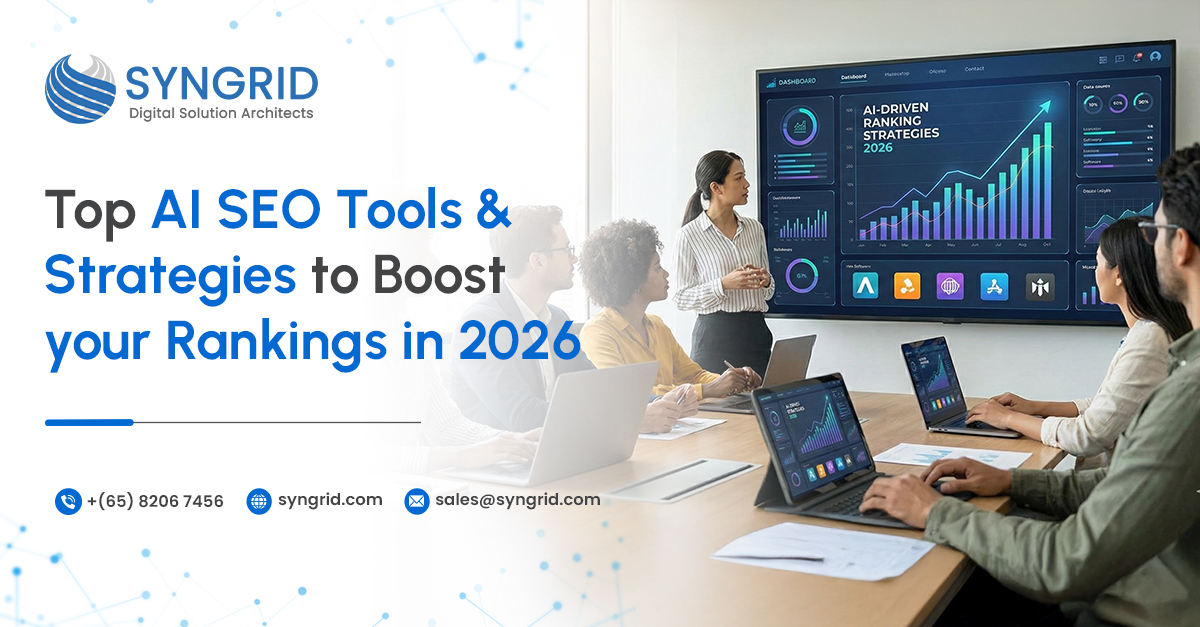
Top AI SEO Tools and Strategies to Boost Your Rankings in 2026

Introduction Search engine optimization has entered a new phase in 2026. Ranking higher on search engines is no longer just about keywords and backlinks; it’s about understanding user intent, delivering meaningful content, and adapting quickly to algorithm changes. As search engines become smarter, businesses must rethink how they approach SEO. Artificial Intelligence (AI) is now at the core of modern SEO strategies. From content optimization to predictive analytics, AI is reshaping how brands improve visibility and reach the right audience. This blog explores how SEO has evolved, why traditional methods are no longer enough, and how AI-driven SEO solutions powered by Syngrid Technologies are helping businesses stay ahead. The Evolution of SEO in 2026 SEO in 2026 looks very different from what it was even a few years ago. Search engines now prioritize context, relevance, and user experience over keyword repetition. Algorithms are designed to understand search intent, analyze engagement signals, and evaluate content quality more deeply. Voice search, visual search, AI-generated summaries, and zero-click results have become mainstream. This evolution means businesses must focus on delivering value rather than simply optimizing for search engines. SEO is no longer a technical task alone; it’s a strategic function tied closely to content, UX, and data intelligence. Why Traditional SEO Strategies Are Not Enough? Conventional SEO techniques such as manual keyword stuffing, generic backlinks, and static content updates are losing effectiveness. These approaches struggle to keep up with frequent algorithm changes and evolving user behavior. Search engines now reward websites that provide personalized, relevant, and timely information. Without AI, it becomes difficult to analyze large data sets, predict trends, or adapt content at scale. Businesses relying only on traditional SEO methods risk losing visibility to competitors who use smarter, data-driven strategies. Key SEO Challenges Businesses Face Today Modern businesses face several SEO challenges in 2026. Search intent is more complex, competition is higher, and user expectations are constantly rising. Keeping content fresh, optimizing for multiple regions, and tracking performance across channels require more than manual effort. Another major challenge is aligning SEO with business goals. Rankings alone don’t guarantee leads or conversions. Companies need insights that connect traffic, engagement, and revenue—something traditional SEO tools struggle to deliver without AI support. Role of AI in Modern SEO AI plays a critical role in transforming SEO from a reactive process into a predictive one. It helps analyze search patterns, identify ranking opportunities, and optimize content based on real user behavior. AI-powered SEO tools can understand the intent behind search queries, recommend content improvements, and automate technical audits. They also enable smarter decision-making by providing insights that are faster, more accurate, and scalable. This makes AI an essential component of modern SEO strategies. Top AI SEO Tools to Watch in 2026 Google Search Generative Experience (SGE) – Uses AI to understand search intent and deliver richer, context-based search results Semrush AI Toolkit – Helps with keyword research, competitor analysis, content optimization, and SEO performance tracking Ahrefs AI Content Helper – Assists in content gap analysis, keyword clustering, and ranking opportunity identification Surfer SEO – Uses AI-driven data to optimize on-page content based on top-ranking pages Clearscope – Improves content relevance by aligning articles with real user intent and semantic keywords MarketMuse – Supports content planning, topical authority building, and long-term SEO strategy using AI insights Screaming Frog with AI Integrations – Automates technical SEO audits, site health checks, and optimization recommendations ChatGPT & Generative AI Tools – Supports SEO content ideation, outline creation, meta optimization, and FAQ structuring BrightEdge AI – Provides enterprise-level SEO insights, forecasting, and performance predictions Moz Pro AI Features – Assists with keyword tracking, SERP analysis, and search visibility improvement Local & Global SEO Optimization Using AI Enables businesses to manage local and global SEO strategies from a single, unified system Optimizes Google Business Profiles and local listings to improve visibility in location-based searches Analyzes local search trends and user behavior to target nearby, high-intent audiences Improves map pack rankings and local keyword performance using AI-driven insights Supports multilingual content optimization for international audiences Performs region-specific keyword research to align content with local search intent Tracks SEO performance across multiple countries and markets in real time Maintains brand and content consistency globally while allowing regional customization Reduces manual effort through AI-powered SEO automation, making it easier to scale across regions Ideal for businesses operating in multiple locations or international markets How Syngrid Technologies Delivers AI-Driven SEO Solutions Syngrid Technologies helps businesses adopt AI-driven SEO strategies that align with real business objectives. Instead of focusing only on rankings, the approach emphasizes visibility, engagement, and conversions. The team combines AI-powered SEO tools with strategic planning, content optimization, technical SEO, and performance analytics. By leveraging intelligent automation and data insights, Syngrid Technologies enables businesses to scale SEO efforts efficiently while adapting to algorithm changes with confidence. Business Benefits of AI SEO in 2026 Improves content relevance by aligning pages with real search intent Increases the quality of organic traffic rather than just traffic volume Reduces time spent on manual SEO tasks through intelligent automation Provides clearer insights into SEO performance and ranking factors Enables faster, data-backed marketing decisions Delivers better ROI through continuous optimization Strengthens lead generation and online visibility Allows teams to focus more on strategy, creativity, and business growth Conclusion SEO in 2026 is no longer about following static rules; it’s about adapting intelligently to how users search and interact online. AI has become the driving force behind effective SEO strategies, enabling businesses to stay relevant in an increasingly competitive digital landscape. By combining AI technology with strategic expertise, Syngrid Technologies helps organizations build SEO strategies that are scalable, future-ready, and results-driven. If your business wants to improve rankings, attract the right audience, and achieve sustainable growth, now is the time to embrace AI-powered SEO.

Agentic AI Development Company​
AI Development

Agentic AI Development Company

Agentic AI Development Company Syngrid Technologies is a leading AI Development Company helping businesses move beyond basic automation into intelligent, autonomous systems. We are specialized in agentic AI development services, enabling organizations to build AI solutions that go beyond predefined rules and static workflows. Agentic AI represents the next evolution of artificial intelligence—AI systems that can think, decide, and act independently based on goals, context, and real-time data.   Unlike conventional AI tools, agentic AI software is designed to operate proactively. It analyzes situations, predicts outcomes, and executes workflows without constant human supervision. As an experienced AI development company, we build scalable agentic AI solutions that integrate seamlessly with enterprise systems, enabling organizations to achieve faster decision-making, improved efficiency, and long-term digital transformation.   Our agentic AI development services are tailored for startups, SMEs, and enterprises seeking intelligent automation that delivers measurable business impact. Agentic AI Development Services Offered by Syngrid Technologies Custom AI Strategy & Consultation   At Syngrid Technologies, we identify the most impactful Agentic AI opportunities through structured AI strategy and consultation. Our team works closely with stakeholders to perform workflow analysis, design scalable AI architectures, select the right models, plan integrations, and build strong data pipelines aligned with long-term business objectives. AI Agent Development   Our team builds intelligent AI agents designed to operate autonomously with minimal human intervention. Using reinforcement learning, context-aware intelligence, natural language interaction, and modular architectures, we develop AI agents that can learn, adapt, and execute complex tasks reliably at scale. Autonomous Workflow Automation   We enable enterprises to automate complex workflows using agentic AI-driven automation. By combining conditional logic, event-based triggers, API integrations, RPA with AI agents, and exception handling, we help organizations reduce manual effort, streamline operations, and continuously optimize business processes. Multi-Agent Collaboration   Syngrid Technologies designs systems where multiple AI agents work together efficiently to solve complex problems. These solutions support inter-agent communication, intelligent task allocation, shared knowledge frameworks, collaborative decision-making, and cloud-based scalability for enterprise-level operations. Agentic AI Integration Services   We seamlessly embed agentic AI capabilities into existing enterprise environments. Our integration services connect AI agents with CRMs, ERPs, cloud platforms, APIs, middleware, generative AI models, and LLMs, ensuring real-time data synchronization with secure and compliant deployments. Agentic AI Maintenance & Support   To ensure sustained performance, our team provides continuous Agentic AI monitoring and support. This includes proactive model updates, performance tracking, drift prevention, decision refinement, and ongoing alignment with evolving business goals, helping organizations achieve long-term value from their AI investments. Why Businesses Need Agentic AI Solutions Today? Modern businesses operate in highly dynamic environments where speed, accuracy, and adaptability are critical. Traditional automation systems struggle to keep pace with changing data, customer expectations, and operational complexity. This is why businesses increasingly adopt agentic AI solutions today.   Agentic AI systems go beyond following predefined rules. They continuously learn from data, adapt to new conditions, and take initiative to solve problems. With Agentic AI software development, organizations can reduce manual effort, eliminate operational bottlenecks, and respond to market changes in real time.   By implementing Agentic AI development solutions, businesses gain intelligent systems that act as proactive digital partners, identifying risks, recommending next actions, and executing workflows automatically. This shift turns AI from a support tool into a strategic business asset. Agentic AI vs. Traditional Automation: What’s the Difference? Traditional automation relies on fixed rules and scripted workflows. While effective for repetitive tasks, it lacks flexibility and intelligence. In contrast, agentic AI development focuses on autonomy, adaptability, and decision-making.   Traditional automation requires constant monitoring and manual intervention whenever conditions change. Agentic AI systems, however, can understand context, learn from outcomes, and modify their actions accordingly. Powered by generative AI, LLMs, and reinforcement learning, agentic AI agents can handle complex, multi-step processes without human input.   This fundamental difference makes agentic AI software ideal for enterprise use cases where workflows are dynamic, data-driven, and continuously evolving. Key Benefits of Agentic AI for Enterprise Operations Higher efficiency: Agentic AI automates complex tasks and reduces manual workload across teams. Better decisions: Real-time data analysis delivers accurate insights and recommendations. Easy scalability: Automation scales across departments and regions without added complexity. Cost optimization: Autonomous AI minimizes operational costs and improves product How Autonomous AI Agents Transform Workflow Automation? Autonomous AI agents are redefining workflow automation by introducing intelligence into every step of the process. Instead of executing static tasks, Agentic AI agents understand goals, evaluate multiple options, and choose the best course of action.   Through Agentic AI software development, workflows become adaptive and self-optimizing. AI agents can monitor events, trigger actions, integrate with APIs, and coordinate across systems without human intervention. This enables end-to-end automation of complex business processes such as operations management, customer engagement, analytics, and compliance monitoring.   By leveraging autonomous workflow automation, businesses achieve higher productivity, faster turnaround times, and greater operational resilience. Final Thoughts Agentic AI is no longer a future concept; it is a present-day necessity for businesses aiming to stay competitive. By adopting Agentic AI development solutions, organizations can transform automation into intelligence and workflows into self-driven systems. Syngrid Technologies empowers businesses with cutting-edge agentic AI software development that delivers autonomy, efficiency, and strategic value. As an experienced agentic AI development company, we help you build AI systems that think ahead, act independently, and drive real business outcomes.   If you are ready to implement Agentic AI and unlock the next level of automation, Contact Syngrid Technologies Today to discuss how our Agentic AI solutions can accelerate your digital transformation.

AI Development

The Future of AI Development: Key Trends to Watch in 2026

Why AI Development Matters More Than Ever in 2026? Artificial intelligence has moved from being an emerging innovation to a core driver of digital transformation. In 2026, businesses are no longer asking whether they need AI; the real question is how fast they can adopt it.Organizations now depend on AI to improve decision-making, streamline operations, reduce labor costs, enhance customer experience, and create new revenue opportunities. From automation and predictive analytics to real-time personalization and autonomous systems, AI has become the backbone of modern business growth. As industries embrace AI at scale, companies that invest early gain a significant competitive advantage, faster operations, lower costs, and smarter digital products How is AI transforming web and mobile application development? AI is reshaping the entire cycle of web and mobile app development, making digital products quicker to build, more intuitive, and highly personalized. Here’s how AI is driving this transformation: 🔹 Smarter User Experiences   Apps can now understand user behavior, preferences, and intent, enabling more personalized experiences. 🔹 Predictive Interfaces   AI predicts what users need next, improving usability and increasing conversions. 🔹 Automated Testing   AI-powered tools test hundreds of app flows in seconds, ensuring bug-free releases. 🔹 Faster Development Cycles   With AI-assisted coding and low-code platforms, developers build apps 2–3x faster. 🔹 Enhanced Security   AI monitors unusual behavior, preventing attacks before they happen. From chatbots and recommendation engines to voice interfaces and AI-driven UI, artificial intelligence is now powering the next generation of digital applications. Trend 1: Autonomous AI Systems Becoming Mainstream 2026 marks the rise of self-learning, self-improving AI systems that can operate with minimal human input.These systems can: Make decisions independently Adapt to new data Recognize patterns in real time Optimize operations without manual adjustments Industries like logistics, finance, manufacturing, and automotive are already adopting autonomous AI to streamline processes and reduce operational delays. Trend 2: AI-Driven Business Automation Across All Industries AI automation is becoming essential for scaling businesses, especially in repetitive, time-consuming processes. AI automates:   Customer support via AI chatbots Payroll and HR workflows Document processing Inventory and supply chain operations Marketing segmentation and targeting By 2026, businesses that do not automate will fall behind in cost efficiency and productivity. Trend 3: Generative AI Advancing for Enterprise-Level Use Generative AI will evolve beyond content creation and enter enterprise-level applications. New enterprise use cases include:   Automated product design Smart customer onboarding Real-time market research Complex data modeling Automated coding and debugging Organizations will use generative AI to speed up internal operations while improving output quality. Trend 4: Hyper-Personalization Through Intelligent Data Models Personalization will become the standard expectation in 2026 , AI systems will deliver: Tailored product recommendations Dynamic website content Personalized pricing Behavior-based marketing Predictive service suggestions This improves user engagement, reduces churn, and boosts conversions significantly. Trend 5: AI + IoT Integration Creating Smarter Connected Ecosystems AI and IoT together will create an interconnected digital environment where devices communicate and adapt intelligently. Examples include: Smart homes and buildings Predictive healthcare systems Automated manufacturing using AI-driven sensors Intelligent logistics with real-time tracking AI and IoT will redefine automation across multiple industries globally. Trend 6: AI-Powered Cybersecurity for Real-Time Threat Detection With rising cyber threats, businesses are shifting to AI-driven security solutions. AI systems can: Detect anomalies instantly Stop attacks in real time Analyze patterns of suspicious behavior Automate security responses By 2026, AI will be considered the primary defense layer in cybersecurity. Trend 7: Low-Code & No-Code AI Accelerating Product Development Low-code AI platforms allow businesses to build applications without deep technical knowledge. Benefits include:   Faster product development Cost savings Easy integration with existing systems Democratization of AI inside organizations This trend will empower more teams to build and deploy digital products without relying heavily on engineering resources. Trend 8: Ethical AI, Data Privacy & Global Regulatory Trends With AI evolving quickly, governments and organizations are enforcing global standards for: Data privacy AI transparency Ethical decision-making Bias-free algorithms Businesses must follow these guidelines to maintain trust and remain compliant as regulations grow stronger in 2026. Trend 9: AI in Cloud & Edge Computing for Distributed Intelligence AI is moving closer to the user through edge computing., This enables:   Faster processing Reduced latency Real-time analytics Better performance for apps and IoT devices Cloud + Edge AI will enable smarter, real-time systems across industries requiring instant data decisions. How Businesses Should Prepare for the AI Shift in 2026 To stay competitive, organizations must: Invest in AI-ready infrastructure Implement data-driven processes Automate repetitive workflows Train teams in AI tools and technologies Adopt secure and ethical AI practices Partner with experienced AI development companies Businesses that prepare early will lead their industries in the coming decade. Why Choose Syngrid Technologies for AI Development? Syngrid Technologies helps organizations unlock the power of AI with solutions built for scalability, automation, and business growth With Syngrid, you get:   End-to-end AI development AI-powered automation systems Generative AI solutions Enterprise-level AI integration Data analytics & predictive modeling AI chatbots and virtual assistants Machine learning & deep learning solutions Custom AI solutions for mobile applications and website Development  Syngrid designs future-ready AI solutions that enhance productivity, reduce costs, and accelerate digital transformation Conclusion AI is reshaping industries faster than ever, and 2026 will be a defining year for businesses adopting advanced AI technologies. Companies that integrate AI into operations, customer experience, product development, and security will outperform competitors significantly. By partnering with Syngrid Technologies, businesses gain access to intelligent, scalable, and secure AI solutions designed to meet evolving digital demands. The future of AI development is here, and the organizations that act today will lead tomorrow.

Scroll to Top